

Close Menu
  • Tech Insights
  • Laptops
  • Mobiles
  • Gaming
  • Apps
  • Money
  • Latest in Tech
Facebook X (Twitter) Instagram
TechzLab – Tech News, Gadgets, Mobile & IT UpdatesTechzLab – Tech News, Gadgets, Mobile & IT Updates
  • Tech Insights
  • Laptops
  • Mobiles
  • Gaming
  • Apps
  • Money
  • Latest in Tech
TechzLab – Tech News, Gadgets, Mobile & IT UpdatesTechzLab – Tech News, Gadgets, Mobile & IT Updates
Home » Google is removing the ‘Share Apps’ feature on the Play Store—but there is an alternative
Mobiles

Google is removing the ‘Share Apps’ feature on the Play Store—but there is an alternative

adminBy adminDecember 18, 2024No Comments2 Mins Read
Facebook Twitter Pinterest LinkedIn Tumblr Email
Share
Facebook Twitter LinkedIn Pinterest Email

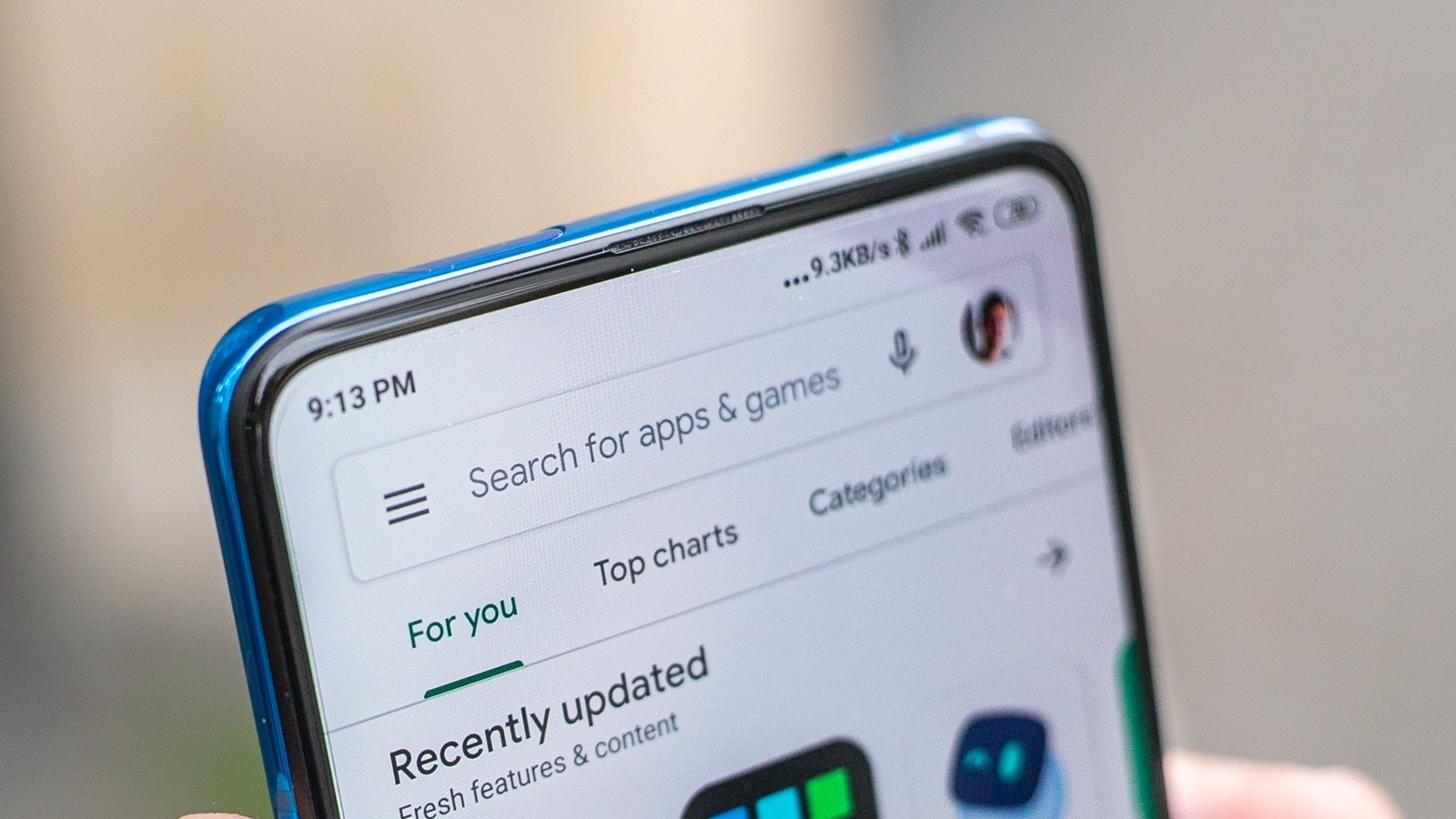
Did you know that you can send apps using the Google Play Store on Android devices to nearby people? It can be done though the Share Apps feature, which is built into the Google Play Store, allowing you to both send and receive apps. This is achieved using Quick Share, previously called Nearby Share. Unfortunately, this feature is being discontinued soon, which is disappointing because it enables you to share apps between devices without requiring internet connection.

ALSO READ: Nothing Phone 2 and Phone 2a finally get stable Nothing OS 3.0 update based on Android 15: All details

Share Apps Feature Being Removed From Play Store: Details

The Share Apps feature is being removed from the Play Store. As spotted by 9to5Google, this feature was introduced in 2021 and was powered by Nearby Share, now renamed Quick Share. 

Not sure which
mobile to buy?

It can be accessed by opening the Google Play Store, tapping your profile icon in the top-right corner, and navigating to the ‘Manage Apps and Device’ section. Here, you find the option to share apps, with two choices: send or receive.

This feature has allowed users to select an app installed on their device and then easily share it with nearby Android devices. However, a recent changelog from the Google Play Store reveals that the “Share apps feature on Google Play will be retiring.” 

Is There an Alternative on Android to Share Apps Without an Internet Connection?

Yes, there is. If you use Google’s Files app on Android, you’re in luck. You can still share apps via Quick Share using the Files app. Open the Files app, go to ‘Apps’ under the ‘Categories’ section, and select an app from the list. Tap on the three-dot menu next to the app and choose the ‘Share’ option. You will then see the option to use Quick Share. Tap on it to share the app with a nearby device.

ALSO READ: Moto G05, G15, G15 Power, and E15 officially confirmed: Check key specs, features and more

Share. Facebook Twitter Pinterest LinkedIn Tumblr Email
admin
  • Website

Related Posts

The stage is set for a much better Motorola Razr Ultra in 2026, and I can’t wait to see how it improves on arguably the best flip phone of 2025. Here’s how the Galaxy Z Flip 7 and current smartphone trends can literally help shape the next Razr

December 6, 2025

Samsung now said to be using the Exynos 2600 in the Galaxy S26 series in just one market

December 5, 2025

The iPhone 17 Pro has just lost a key camera feature, and Apple won’t explain why

December 4, 2025

Comments are closed.

Latest
  • Is it time to ‘refound’ your startup? | TechCrunch December 6, 2025
  • Godzilla 15-Film Criterion Box Set Restocked At Amazon With 50% Discount December 6, 2025
  • The stage is set for a much better Motorola Razr Ultra in 2026, and I can’t wait to see how it improves on arguably the best flip phone of 2025. Here’s how the Galaxy Z Flip 7 and current smartphone trends can literally help shape the next Razr December 6, 2025
  • Here’s What You Should Know About Launching an AI Startup December 6, 2025
  • Your smart home is at risk – 6 ways to protect your devices from attack December 6, 2025
We are social
  • Facebook
  • Twitter
  • Pinterest
  • Instagram
  • YouTube
  • Vimeo

Subscribe to Updates

Get the latest creative news from Techzlab.

Tags
AI AI research Anthropic Apple Apps artificial intelligence Artificial Intelligence (AI) ChatGPT critical minerals cybersecurity data centers Donald Trump Elon Musk evergreens EVs Exclusive gemini Google Grok In Brief iPhone matt mullenweg Meta Microsoft Netflix nvidia Openai Perplexity Pinterest renewable power robotics slate auto Softbank Solar Power SpaceX Spotify TechCrunch All Stage TechCrunch All Stage 2025 TechCrunch Disrupt TechCrunch Disrupt 2025 Tesla Trump Administration Uber WordPress YouTube
Archives
Quick Link
  • Apps (343)
  • From the Editor (4)
  • Gaming (373)
  • Laptops (374)
  • Latest in Tech (370)
  • Mobiles (377)
  • Money (204)
  • Tech Insights (358)
Don't miss

Your smart home is at risk – 6 ways to protect your devices from attack

December 6, 2025

Thursday’s Cold Moon Is the Last Supermoon of the Year. Here’s How and When to View It

December 3, 2025

Forget Prime – Amazon starts 30-minute deliveries to show good things come to those with zero patience

December 2, 2025
Follow us
  • Facebook
  • Twitter
  • Pinterest
  • Instagram
  • YouTube
  • Vimeo
© 2025 Techzlab.com Designed and Developed by WebExpert.
  • Home
  • From the Editor
  • Money
  • Privacy Policy
  • Contact

Type above and press Enter to search. Press Esc to cancel.